Import YouTube videos and Shorts
Save recipes from YouTube.
Share a YouTube recipe video or Short with PantryAI. Review the available ingredients and instructions, then save the recipe with its video link.
Available on iPhone · Subscription options in the app
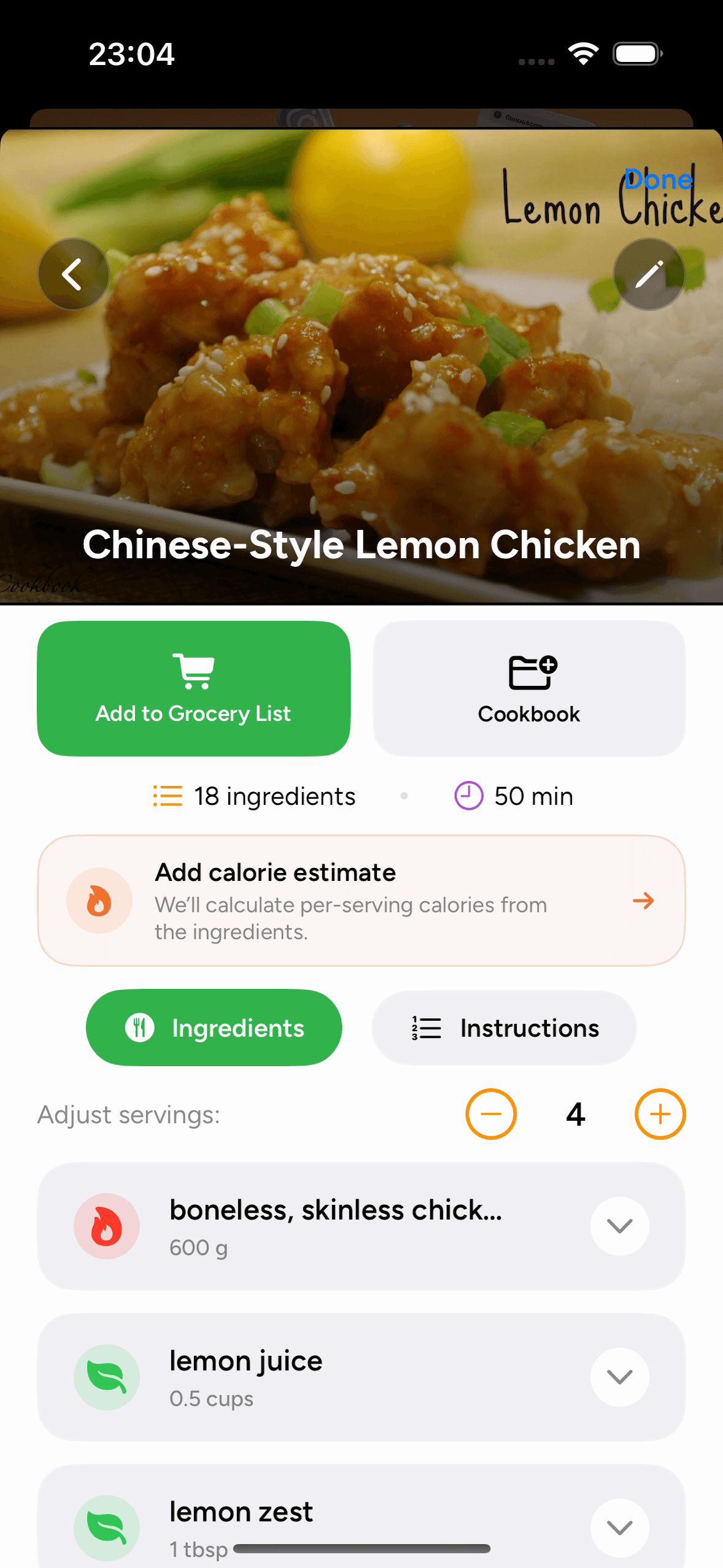
Saved in your cookbook.
Ingredients and instructions together.
Import a recipe in three steps
How to save recipes from YouTube
Share or paste a recipe link, review the imported details, and save it to a cookbook.
Open a recipe video or Short
Check the YouTube description for ingredients, instructions, or a link to the creator’s complete written recipe.
Recipe import questions
Saving recipes from YouTube: FAQ
Need a hand with an import? Our Help Center has more tips.
How do I save a recipe from a YouTube video?
Tap Share on the video and choose PantryAI through your iPhone’s share sheet. Alternatively, copy the URL and paste it into From URL in PantryAI. Review the imported details before using the recipe.
Can I save a recipe from a YouTube Short?
You can share a YouTube Short’s recipe link using the same workflow. How much information can be imported depends on the recipe details available in the text and audio.
Does PantryAI save the YouTube video itself?
PantryAI saves the recipe details and source link. It does not download the video into your cookbook. Use the link in the recipe details to return to YouTube when you want to watch it.
What if a cooking video does not include exact quantities?
The imported recipe may need adjustments when the source leaves out details. Check it against the video or the creator’s written recipe, and edit quantities or instructions in PantryAI before cooking.
Which plan can I use to save YouTube recipes?
PantryAI offers weekly, monthly, and annual subscriptions. Open the app to see the access and price offered to you, along with any eligible introductory trial, before confirming a purchase.

PantryAI for iPhone
Save the recipe from your next YouTube video.
Download PantryAI and share a video or Short. Review the recipe details and save them with a link back to the original video.
Download on theApp StoreSubscription options in the app.